
UX Overview for Emails and Settings
Additional UX touchpoints to craft in your Client User experience
Outside of Client onboarding, there are a few other jobs-to-be-done to consider for your entire user journey.
You can build these based on your use case and preferred timing.
Balancing Self-Service and OperationsDepending on your business and service model, working with users to update their credentials may be done via your operations team utilizing the PortalDuct administrator (app.portalduct.com).
Email Notifications
You can utilize the PortalDuct APIs to build happy path notifications for your users (e.g. "we collected your updated [Portal Name] invoices today"), but more importantly the webhook can be utilized to send Client Users an email when their portal credentials are out-of-date causing a disruption in data collection. You can also utilize this webhook to build your own internal notifications (e.g. email or Slack) for your operations team to reach out to the Client User.
User Settings
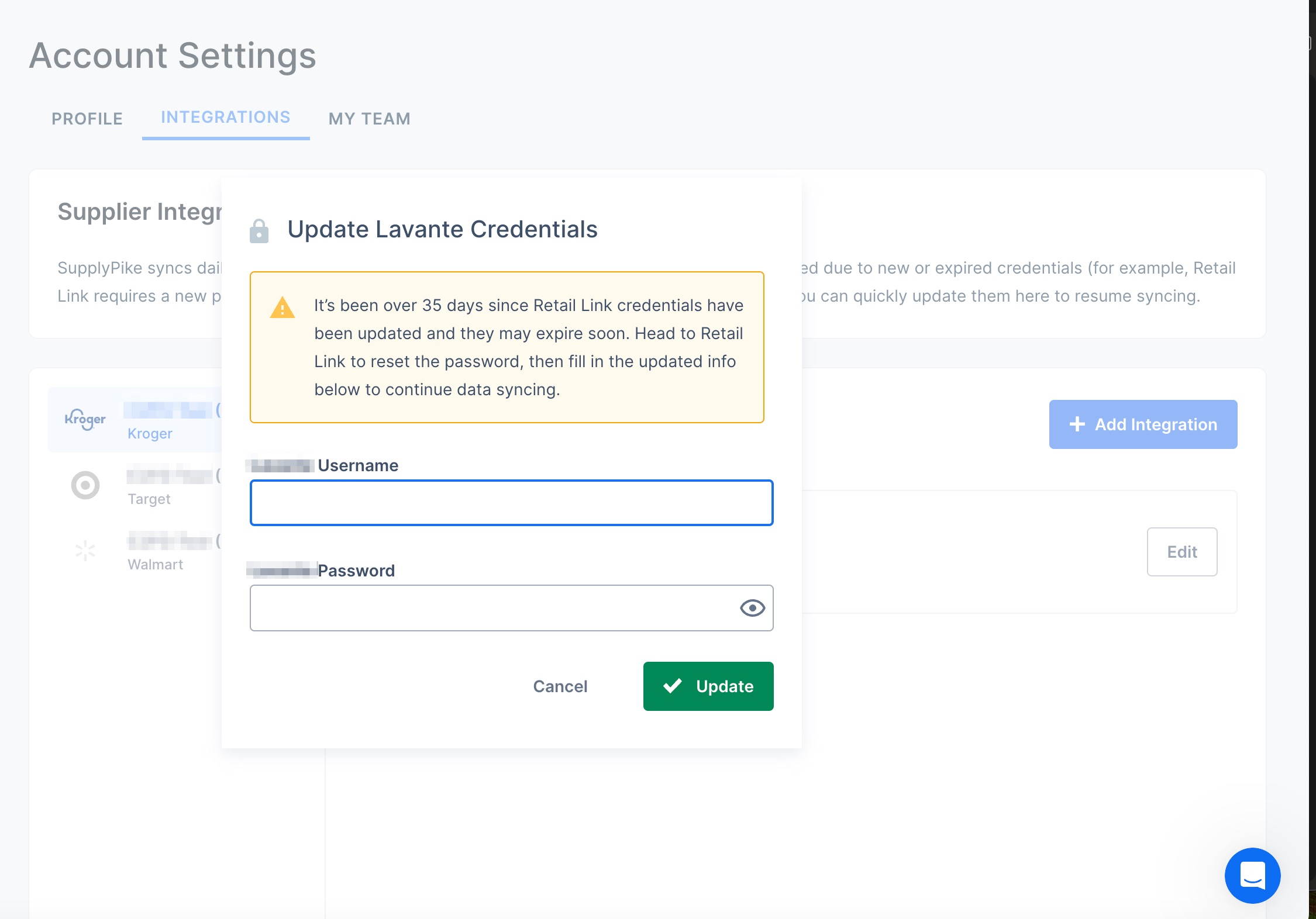
To accomplish the job-to-be done of a Client User maintaining their connections (e.g. updating credentials, deleting connections), you can utilize the Update a Connection endpoint and the Deactivate a Connection endpoint to build your Settings experience. Additionally, you can include the ability for a user to View Connections and Add Connections.
UX Inspiration
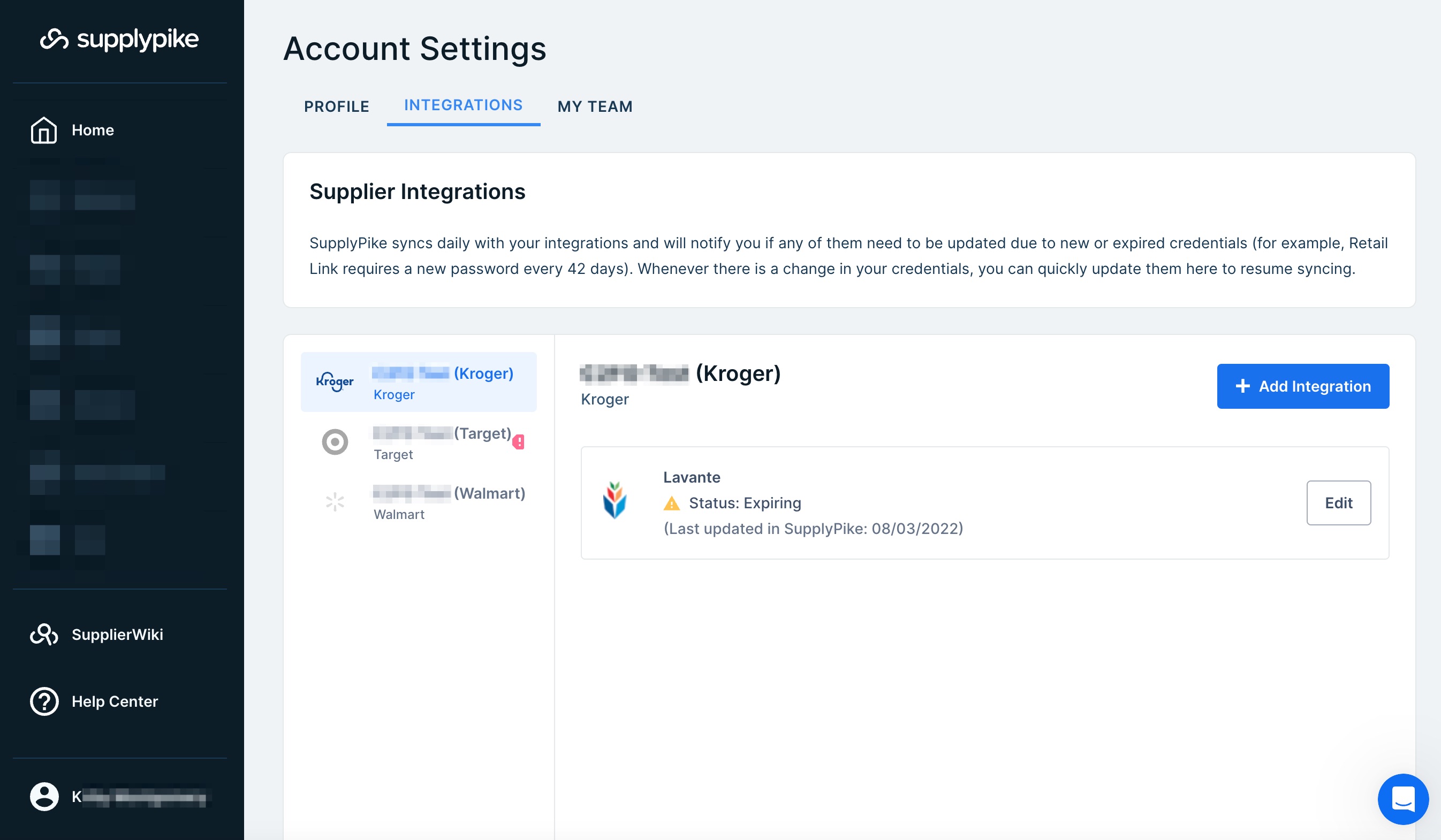
One of the best UI examples of managing connections to portals comes from our friends at SupplyPike. Their team is best-in-the-business at communicating with users their active integrations and the integrations that need to be corrected. Here are examples of that UX:
Updated 7 months ago