
UX Overview for Onboarding Credentials Collection
Invoice portal credential collection process overview
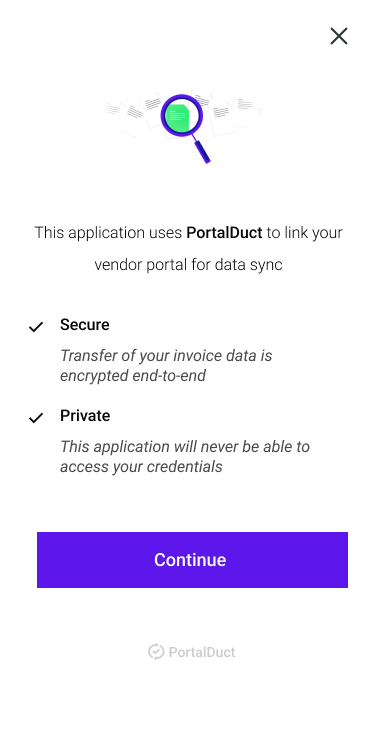
When embedding the Javascript UI element for Client Credential Collection, the user experience follows an industry pattern of security, credential input, and response messaging.
Configuration
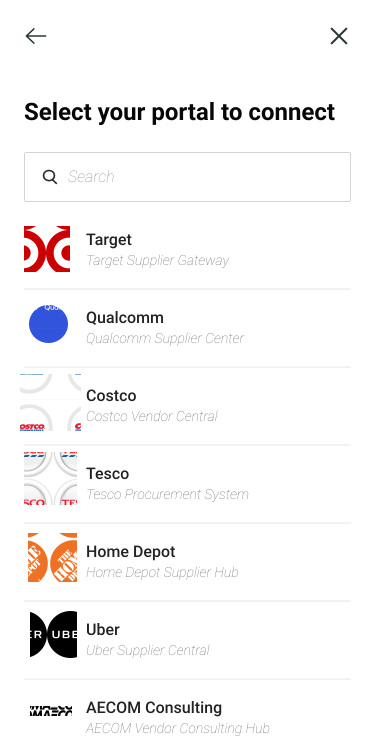
To reduce the cognitive load for the user, and just to streamline portal section, the available portals are configured by the Customer and the PortalDuct team in onboarding and ongoing to ensure the available portals fit their business goals.
Onboarding User Experience Flow
Screen 1: Explainer
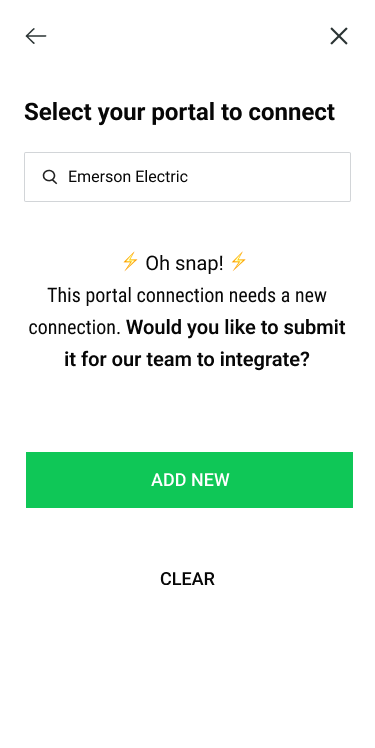
Step 2: Portal Selection Search
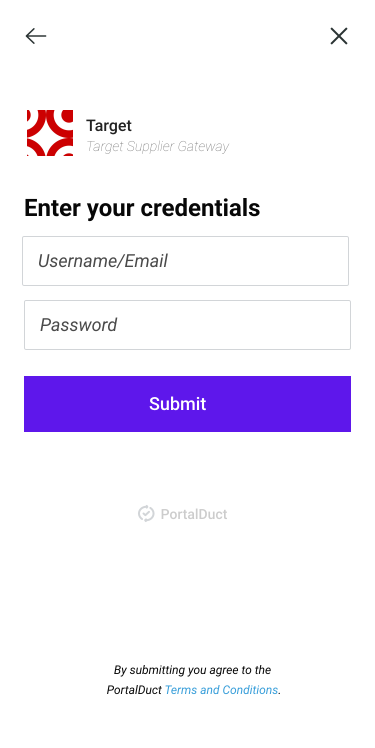
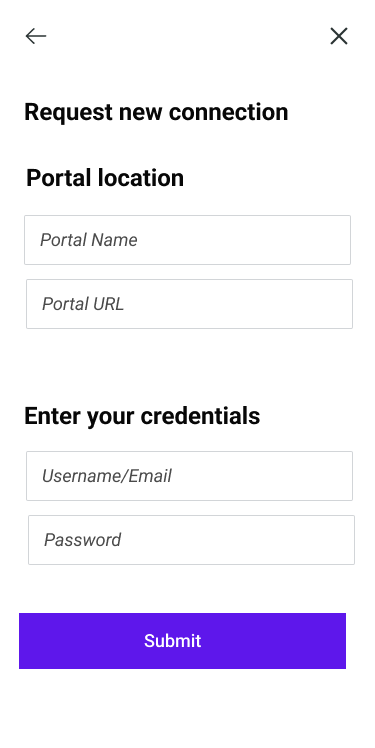
Step 3: Client Credential Input
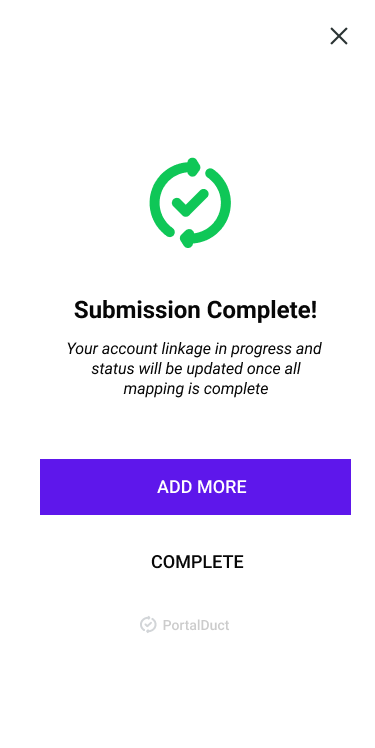
Step 4: Success
Frequently Asked Questions
Q: What if our team wants to own the UX of this?
A: Awesome! The PortalDuct team provides a headless experience where you can utilize a section of our APIs for Client Portal Credential submission.
Q: What happens if a user submits credentials for a portal that is still "pending" with connectivity with the PortalDuct platform?
A: PortalDuct will store the credentials, and the webhook to the Customer will read Pending until the portal is live within the SLA.
Q: What if the user is looking for a portal connection that is unavailable?
A: There is a workflow available where new submissions can be collected from Client users. The better path is for the Customer to proactively work with the PortalDuct team for the portals that they would like live.
Q: What does an example workflow look like?
Updated 7 months ago